iMovie for Windows Reddit
The Ultimate Guide to iMovie Alternatives for Windows (2026 Reddit Recommendations)
If you’ve recently switched from Mac to Windows, or you’ve heard about iMovie’s legendary simplicity and want something just as easy, you’re not alone. Thousands of users ask the same question on Reddit every month: “What is the best iMovie alternative for Windows?”
The good news? You don’t need a Mac to create stunning, professional-looking videos. After scouring through popular subreddits like r/VideoEditing, r/software, and r/Windows11, we’ve distilled the community’s wisdom into one definitive guide.
This isn’t just another generic listicle. This is a data-driven breakdown of what real users recommend, complete with pros, cons, and direct links to get you started in minutes.
Top 3 Alternatives to iMovie for Windows Reddit
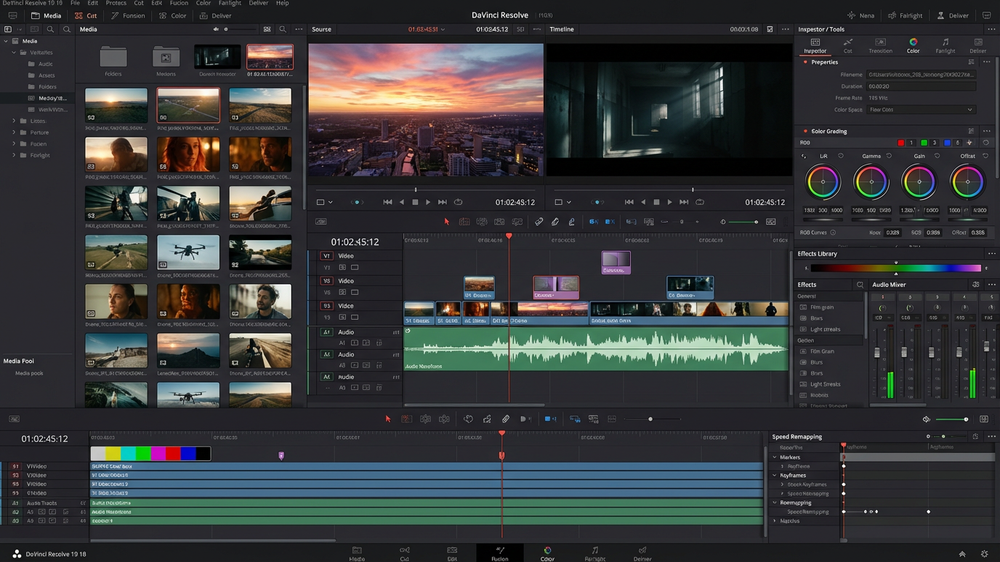
1. DaVinci Resolve: The Powerhouse Favorite
If you’re serious and willing to climb a slightly steeper initial curve, DaVinci Resolve is unmatched. It’s free version is what other companies charge $300 for. – u/VideoCreatorPro (r/VideoEditing)
Why Reddit Loves It:
- Hollywood-Grade for $0: Its free version includes color correction and audio post-production tools that rival premium software.
- One-Stop Shop: Edit, color correct, add effects, and mix audio in a single application.
- Constant Updates: Blackmagic Design updates it frequently with new features.
Best For: Users who see editing as a long-term hobby or potential career. Not for those wanting instant, one-click results.
Download DaVinci Resolve 18 Free Here
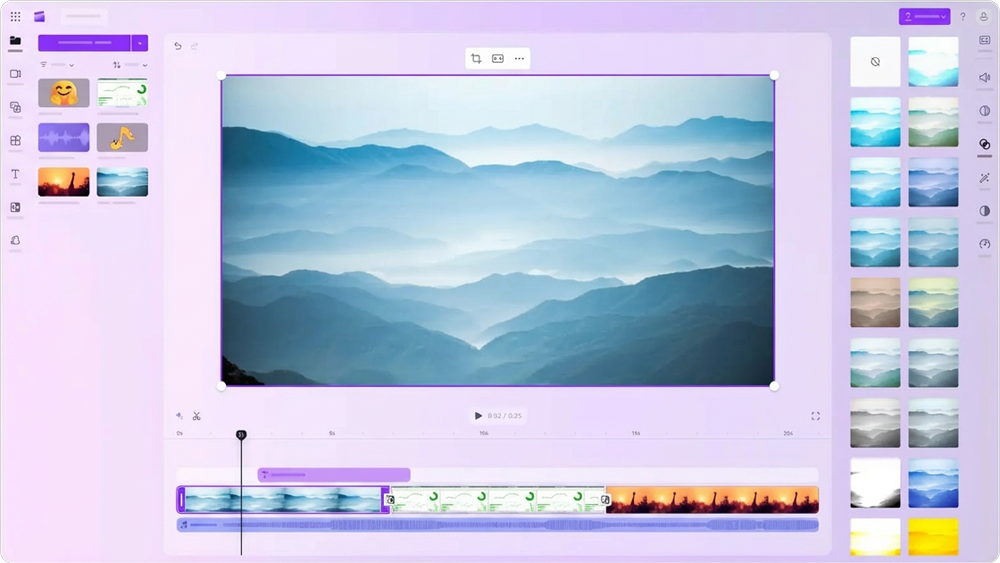
2. Clipchamp: The Instant iMovie Vibe for Windows
As a former Mac user, Clipchamp feels the closest to iMovie’s ‘just works’ philosophy. It’s already on my Windows 11 PC. – u/SwitchedToWindows
Why Reddit Recommends It:
- Pre-Installed & Integrated: Comes with Windows 11, offering a seamless, familiar experience.
- Templates Galore: Quick social media templates, auto-captions, and a simple drag-and-drop timeline.
- Zero Learning Curve: You can be editing your first video within 10 minutes.
Best For: Absolute beginners, students, and anyone who needs to make simple videos quickly without any fuss.
To run it, press the Windows key in Windows 11, and type ClipChamp before you hit the Enter key.
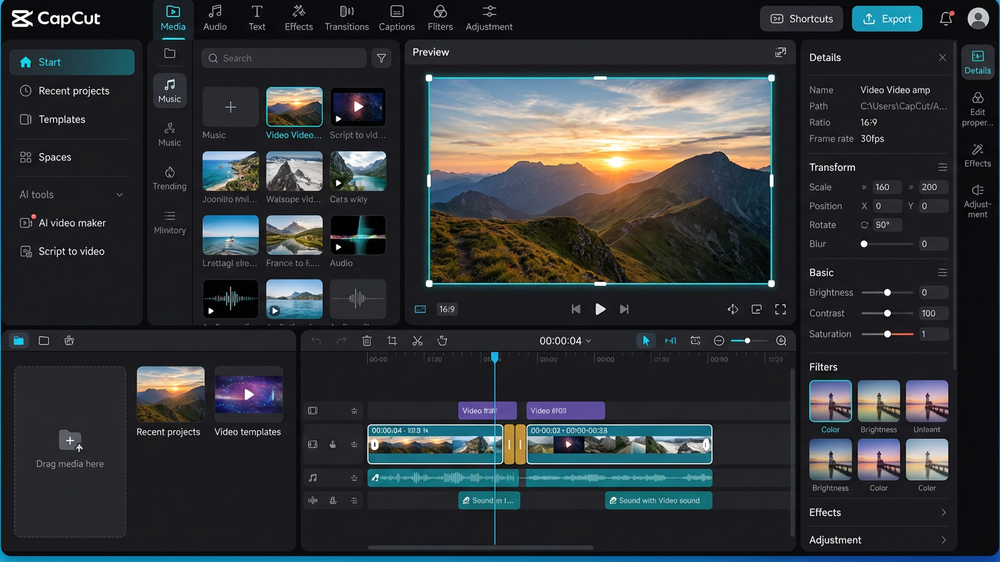
3. CapCut: The Dark Horse for Social Media Stars
Don’t sleep on CapCut. It’s shockingly powerful for a free app. The auto-captions and TikTok/Reels trends are built right in.” – u/ContentGrind
Why It’s Trending on Reddit:
- Designed for Virality: Tools optimized for YouTube Shorts, TikTok, and Instagram Reels.
- AI-Powered Features: Background removal, auto-beat-sync, and smart templates.
- Completely Free (No Watermark): A major point of praise compared to other freemium apps.
Best For: Social media influencers, marketers, and anyone creating content for modern platforms.