Movavi or DaVinci Resolve? True iMovie for Windows

Movavi vs DaVinci Resolve: Which is the True iMovie for Windows User?

Movavi vs Davince Resolve – struggling to choose a video editor after switching from iMovie on Mac to Windows? You’ve likely heard two standout names: the incredibly powerful DaVinci Resolve and the intuitively simple Movavi Video Editor. Both are excellent, but only one is the true spiritual successor to iMovie for a Windows convert. This isn’t just about features – it’s about workflow, feel, and finishing your projects with a smile. Let’s settle the debate.

The Quick Verdict: It’s About Your Goals

Before we dive deep, here’s the essential truth:

  • Choose Movavi Video Editor if: You want to start editing immediately, value a gentle learning curve, and prioritize getting projects done with iMovie-like simplicity.
  • Choose DaVinci Resolve if: You are an aspiring professional focused on Hollywood-grade color correction and visual effects, and you’re willing to climb a steep learning cliff.
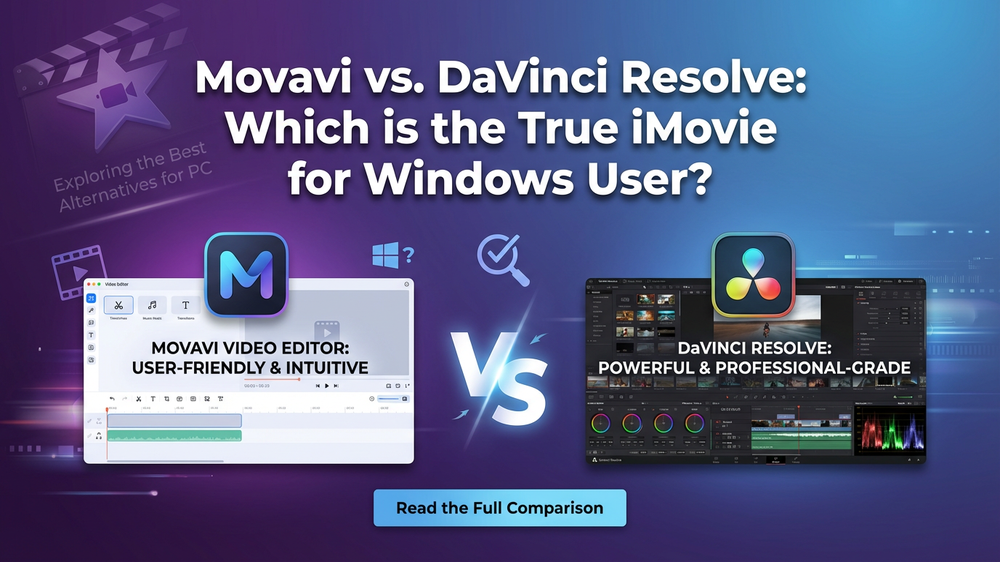
Movavi vs DaVinci Resolve

We’ll evaluate them through the lens of what a former iMovie user truly values.

FeatureMovavi Video EditorDaVinci ResolveThe iMovie User Verdict
Learning CurveGentle, intuitive. You’ll be editing in 10 minutes.Extremely steep. Expect weeks of tutorials to feel comfortable.Movavi wins. It respects your time and mirrors iMovie’s “jump-in-and-create” philosophy.
Interface & WorkflowClean, logical, drag-and-drop. Everything is where you expect it.Professional, modular (separate “pages” for Edit, Color, Fairlight, Fusion). Can feel overwhelming.Movavi wins. It feels like a natural evolution of the iMovie workspace, not a complete overhaul.
Core Editing SimplicityTrimming, splitting, arranging clips is effortless and instant.Powerful but often requires more clicks and understanding of tracks and layers.Movavi wins. The focus is on speed and simplicity for standard edits.
Built-in Media LibraryExtensive royalty-free music, sound effects, titles, stickers, and transitions.Very limited. Expects you to source your own assets externally.Movavi wins. Like iMovie, it provides creative building blocks right inside the app.
One-Click Magic“Magic Enhance” stabilizes, color-corrects, and improves footage instantly.No true one-click magic. Professional tools require manual skill to achieve results.Movavi wins. This directly replicates the satisfying, quick-fix power of iMovie.
Color CorrectionStrong, user-friendly tools with sliders and filters. Great for making footage pop.Industry-leading, Oscar-winning color grading suite (the “Color Page”). Unbeatable for pros.DaVinci wins on power. But for quick, beautiful results, Movavi is more than enough for most.
Audio EditingSimple, effective controls for volume, noise removal, and adding music/voiceovers.Fairlight Page: A full digital audio workstation (DAW). Massive overkill for casual needs.Tie. Movavi is easier for basics; DaVinci is for audio engineers.
Export & SharingOne-click presets optimized for YouTube, TikTok, 4K TV, etc. Fast and simple.Highly customizable, but requires technical knowledge of codecs and settings.Movavi wins. It replicates iMovie’s “Share” menu perfectly – quick, optimized, hassle-free.

You are the TRUE iMovie user if…

You edit family vacations, create YouTube vlogs, make quick social media clips, produce simple business presentations, or value finishing a project in one sitting. Your primary need is creative storytelling, not technical mastery.

Your Best Choice: Movavi Video Editor.

It removes the barrier between your idea and your finished video. You won’t spend your weekend watching tutorials; you’ll spend it publishing your video.

👉 Experience the iMovie Workflow on Windows – Try Movavi Free
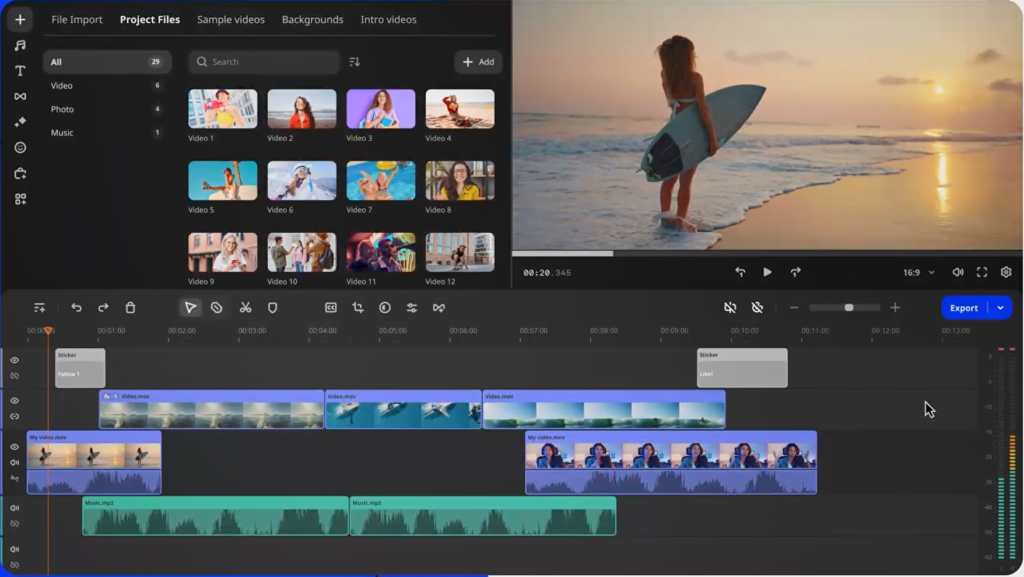
Best iMovie for Windows

You are an EVOLVING PRO user if…

You are dedicated to becoming a color grading expert, plan to edit narrative short films or client work demanding cinema-quality looks, and have dozens of hours to invest in learning complex software.

Your Best Choice: DaVinci Resolve.

Its free version is a legitimate professional tool. The price is your time and hardware investment (it needs a powerful PC).
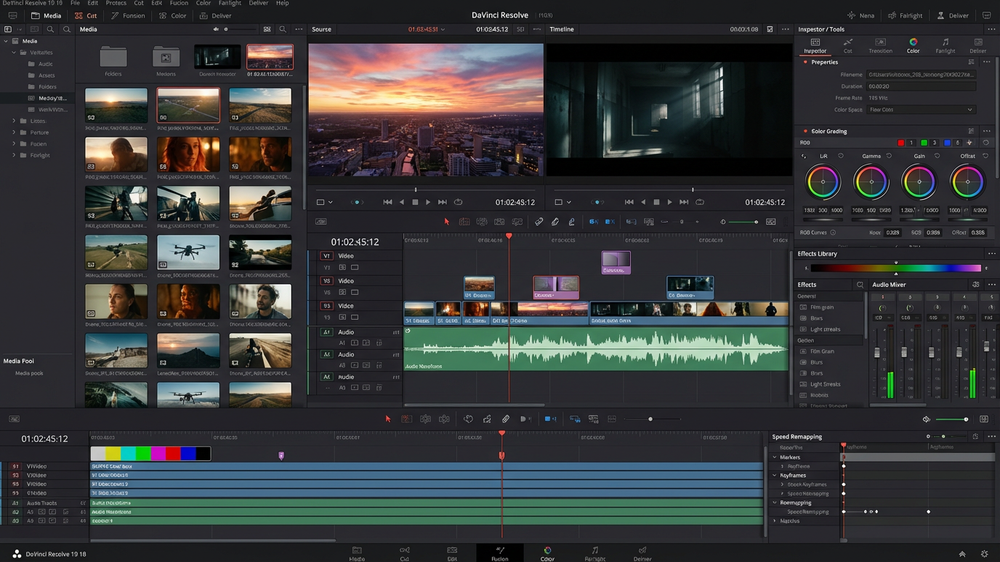
Powerful Alternative to iMovie

Choose the Video Editor That Feels Like Home.

PTNAFFDIS010126ALLAFS15 – 15% discount coupon on yearly subscription products, valid till 15th February 2026.

Leave a Comment

Your email address will not be published. Required fields are marked *

Scroll to Top